You've decided to start tracking your food. You open the app store, search "calorie counter," and suddenly you're looking at 50+ options. MyFitnessPal. Lose It! Cronometer. YAZIO. MacroFactor. Each one promises it'll be different. Each one has five-star reviews and four-star reviews in equal measure. So which one should you actually download?
The truth is: most of these apps work fine. They log calories. They show you numbers. But here's what they don't tell you upfront — choosing the right one depends entirely on how you want to *feel* while you're using it. And for beginners, that feeling matters more than you'd think.
Why Calorie Counting Feels Overwhelming for Beginners
When you're new to tracking food, the process can feel clinical and exhausting. You're not just counting calories — you're making invisible decisions that feel like they matter more than they should. Every meal becomes a point of judgment. Did I eat too much? Did I eat the right thing? Am I doing this right?
Most calorie counter apps make this worse by default. They're built for people who already know what they're doing: fitness enthusiasts, people mid-weight-loss journey, macro optimizers. These apps have 47 settings, complex nutrition labels, and an implicit message: "You should already understand this."
For beginners, what you actually need is:
- Something that doesn't judge you for what you eat
- A process that takes under 30 seconds, not five minutes
- Clarity without complexity
- The feeling that you're being guided, not graded
What to Look For in a Calorie Counter App
Before you download anything, here are the three factors that actually matter when choosing your first calorie counter app:
1. Ease of Use
The app should make logging food feel natural, not like you're navigating an EMR system. Look for apps where you can add food in three taps or less. The faster you can log, the more likely you are to actually do it consistently. Friction kills habits before they start.
2. Accuracy Without Obsession
You want the numbers to be real, but you don't need 47 options for "olive oil — drizzled." The app should assume you're doing your best to estimate, not require restaurant-grade precision. Good accuracy is about 80/20: get the big picture right, don't sweat the small stuff.
3. Emotional Design
This is the one most apps skip. Does the app feel like it's on your team, or does it feel like it's watching you? Does it celebrate small wins or just show you numbers? Does the design feel calm or chaotic? These aren't nice-to-haves — they determine whether you'll use the app in week two.
Types of Calorie Counters: What's Actually Available
The calorie counter landscape breaks down into three main categories. Understanding each one helps you pick the right tool for your situation.
Manual Entry Apps
These are the classics: MyFitnessPal, Lose It!, Cronometer. You search for the food, select the portion size, and move on. The database is huge (millions of foods), which sounds great until you realize that 80% of those entries are user-generated and sometimes wildly inaccurate.
Pros: Familiar process, extensive databases, works with any food
Cons: Slow for beginners, accuracy depends on which database entry you find, requires knowing portion sizes
Barcode-Only Apps
Apps like Yazio focus entirely on scanning barcodes. You point at the package, snap a photo, and the data auto-fills. This works beautifully for packaged foods.
Pros: Super fast for packaged items, accurate nutritional data from manufacturers
Cons: Completely breaks down for restaurant food, homemade meals, and fresh produce
AI-Powered Apps
The newest category. Apps like CapyCal use AI to recognize food from photos. You take a photo of what you're eating, and the AI estimates portions and logging it for you. Some apps in this space still require manual entry as a fallback.
Pros: Works with any food (packaged, restaurant, homemade), fastest logging, no portion size guessing, feels intuitive
Cons: Still relatively new, accuracy improves as the AI learns
Why AI Photo Logging Is a Game-Changer for Beginners
Here's the thing about learning to track: the biggest barrier isn't understanding what "500 calories" means. It's the friction of actually logging it.
With manual entry, you have to:
- Search for the food by name
- Estimate the portion size
- Pick the right database entry (there are often 12 options for "pizza")
- Confirm the serving size again
- Watch it add up
This works if you're eating a standard food you've logged before. But if you're eating something new, it's a five-minute process. If you're not a "numbers person," this feels like punishment.
AI photo logging flips this. You take a photo. The AI recognizes the food, estimates portions, and logs it. You review it in 10 seconds. That's it.
This is where the magic happens — the moment you realize logging doesn't have to feel like homework.
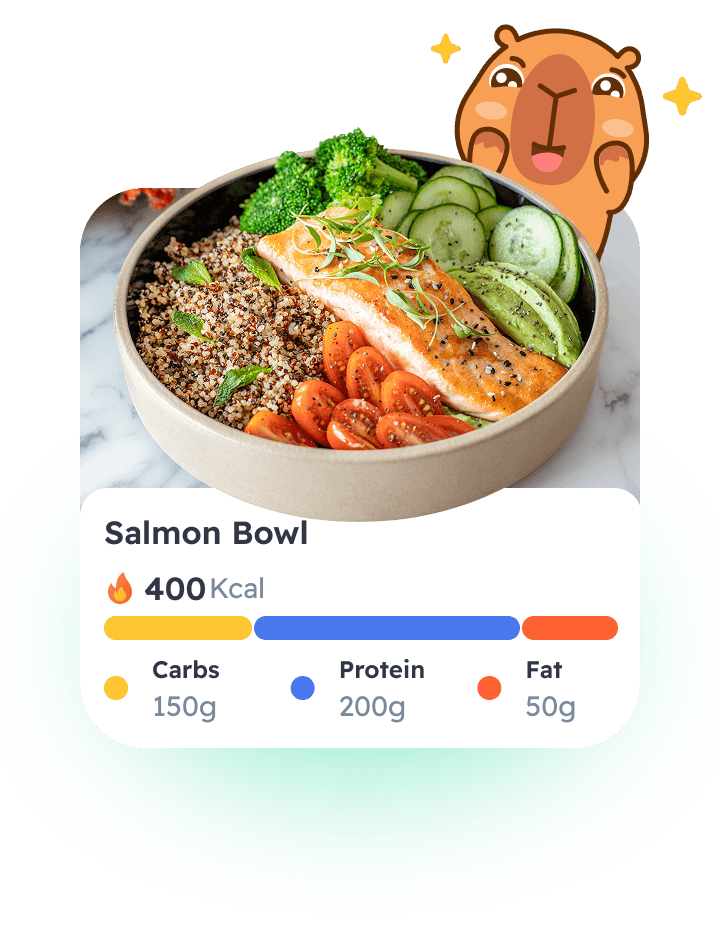
For beginners, this changes everything. You're not fumbling through a database. You're not second-guessing portion sizes. You're just taking a photo. The app does the thinking.
And here's the deeper benefit: when logging takes 10 seconds instead of five minutes, you're way more likely to actually do it. Consistency compounds. One week of logging makes the second week easier. One month makes the second month automatic.
The Emotional Side: Why Guilt-Free Tracking Matters
Most calorie counter apps are built with an implicit philosophy: your goal is to eat as little as possible within a target. Everything above that target is failure. This creates an app experience where you're constantly racing against a number, watching a bar fill up, wondering when you've "gone too far."
This doesn't work for beginners. You're not trying to perfectly hit a target — you're just trying to understand what you eat. You're learning. You're building awareness. And that awareness is the actual win, not the number.

Tracking is about awareness, not perfection.
The best app is one that celebrates the act of logging, not judges the contents of what you logged.
When you log a meal — any meal, no matter what it contains — you've done something good. You've created a data point. You've built the habit. You've shown up. An app that treats every log as a win, rather than a checkpoint on your way to restriction, will be with you for the long term.
This is why design matters. Guilt creeps in through the interface. It's in the red warning bars. It's in the nutritional warnings. It's in the default language of "cheat" and "burn off" and "allowed." An app that removes this language, celebrates what you've logged, and focuses on the learning rather than the judgment will change how you feel about tracking.
How CapyCal Combines All These Features
CapyCal was built with a specific user in mind: you. Someone starting out, looking for clarity without complexity, wanting a companion in the process rather than a referee.
Here's how it brings everything together:
AI Photo Logging
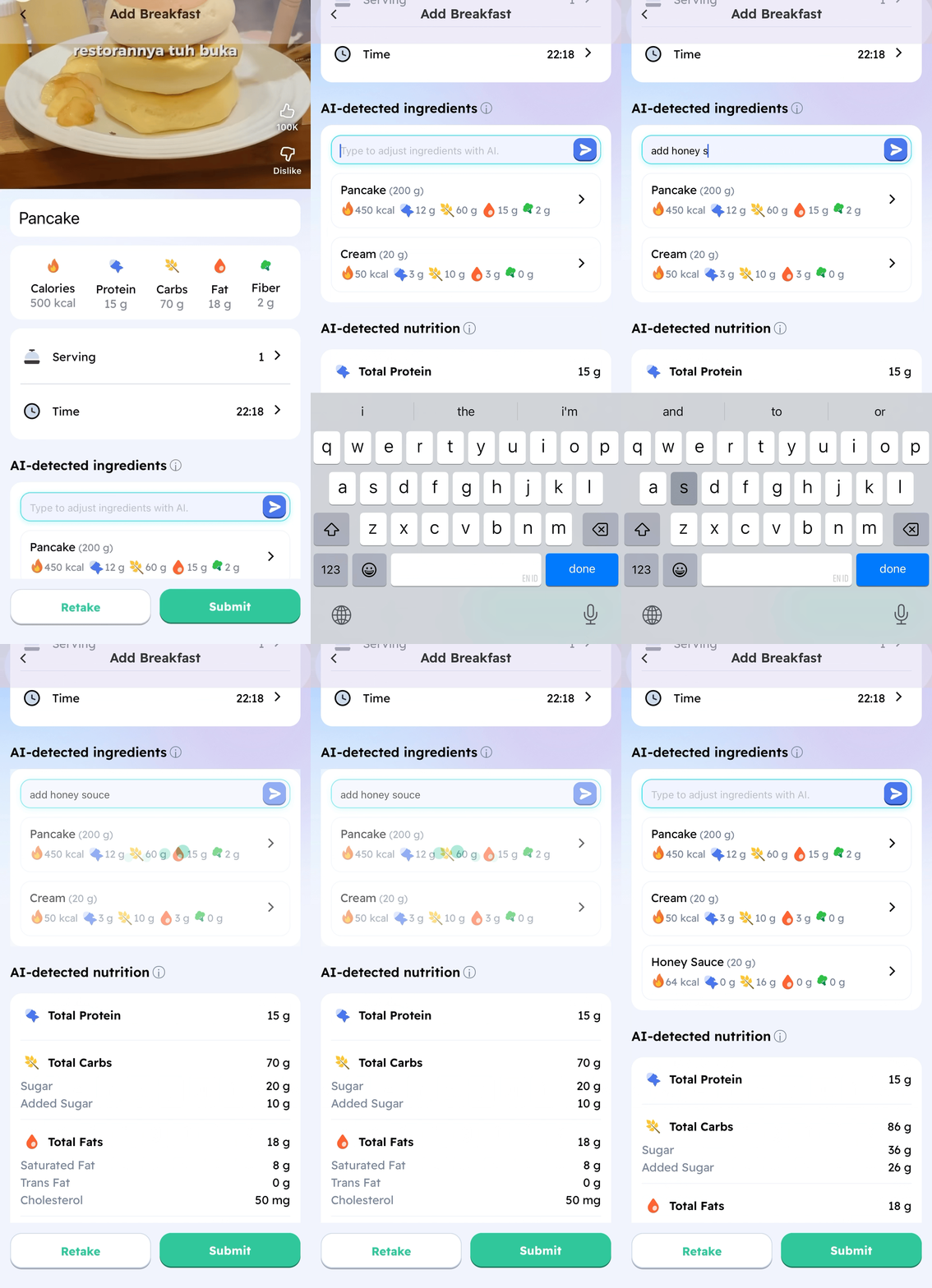
Every meal starts with a photo. No search bars, no databases, no portion size guessing. Just take a photo of what you're eating. The AI recognizes it, estimates portions, and shows you the calories. If you need to adjust (because the AI saw a bigger portion than you actually ate, or vice versa), you can fine-tune in two taps.
Companion Philosophy
CapyCal isn't trying to be your drill sergeant. It's built to feel like a friend who's interested in what you're eating, celebrates the act of logging, and never makes you feel bad about your choices. The design is calm, warm, and encouraging. Every interaction is framed around learning, not limiting.
Beginner-Friendly Defaults
The app assumes you're new to tracking. There are no deep nutrition settings to overwhelm you. You see what matters: your food, roughly how many calories, and your daily summary. Everything else is optional, tucked away for people who want it. For beginners, clarity wins.
Real AI That Works
CapyCal's AI isn't a gimmick. It's trained on thousands of meals and photos. It recognizes portion sizes, handles mixed plates, and even works with foods that are photographed from different angles. It's not perfect (nothing is), but it's built to be useful on day one.
Ready to Start Tracking?
CapyCal makes logging easy. Download today and log your first meal with AI photo recognition.

Getting Started: Your First Week of Tracking
The first week of logging is about building the habit, not perfecting the data. Here's how to approach it with a beginner mindset:
Day 1-2: Just Log
Don't think about eating differently. Don't try to "eat better" to impress your app. Just log what you normally eat. The goal is to take photos and see what you normally consume. This is pure data gathering.
Day 3-4: Notice Patterns
After a few days of data, patterns emerge. Maybe you eat more at dinner than you thought. Maybe your morning coffee routine adds up. Maybe you snack consistently at 3 PM. You're not judging these patterns yet — you're just becoming aware of them.
Day 5-7: Tiny Adjustments
Now that you're aware, you might naturally make small adjustments. Maybe you shift one snack. Maybe you add more vegetables to dinner. Maybe you stay hydrated a bit better. But these should feel like small, easy choices — not restrictions. The awareness is doing the work.
After Day 7: Consistency
By week two, logging becomes automatic. You're not thinking about it. You take a photo, the app logs it, you move on. The habit is real now. And because you've built this habit without judgment or pressure, you'll actually keep doing it.
This is where real change comes from: not from restriction or willpower, but from understanding yourself and making choices aligned with your goals.
The Bottom Line
The best calorie counter app for beginners isn't the most feature-rich. It's the one that makes you feel supported, not judged. It's the one that makes logging so easy you actually do it. It's the one that treats tracking as learning, not limiting.
If you're starting your tracking journey, you want an app with AI photo logging that removes friction, a philosophy that celebrates every log, and a design that feels like a companion rather than a critic. You want something that meets you where you are and walks with you toward where you want to go.
CapyCal does all of this. Download it today, take a photo of your next meal, and see what it feels like to track with support instead of judgment.
Start Your Tracking Journey Today
CapyCal's AI photo logging makes tracking simple, guilt-free, and actually enjoyable. Download now and log your first meal with zero friction.
Available on iOS. Android coming soon.